Perchance ↔ SillyTavern Converter for Character Cards and Chats

Moving characters and chat history between Perchance and SillyTavern? Choose a direction and open your files. The converter processes cards and chats in your browser without uploading them to a server.

  • From Perchance to SillyTavern. Open a .json.gz or .json export. Download individual cards as PNG or JSON, save chats as JSONL, or download everything you’ve selected in one ZIP.
  • From SillyTavern to Perchance. Open PNG, JSON, or CharX character cards and JSONL chats. Download the generated JSON and add it using Import in Perchance AI Character Chat. Select Yes, keep. to retain your existing data.
Conduit: How PipeWalker, Vetka and NetWalk Inspired a New Puzzle Game

I recently found myself thinking about two of my favorite puzzle games: Vetka and NetWalk. In one, you piece together a tree; in the other, you restore a computer network. They look different and generate their boards a little differently, but the basic idea is the same: rotate tiles until the scattered pieces form a working network.

I wanted to see how far I could take that simple rule. What if there were several sources instead of just one? What if two networks could cross without connecting? What if two branches could come together to produce an entirely new color? Those questions grew into Conduit, my logic puzzle game for Android (Google Play).

Read More

How I Installed OpenWrt on a Linksys EA4500 and Recovered the Router After a Failed Flash

A practical walkthrough: Linksys factory firmware → failed OpenWrt installation → UART and U-Boot → booting OpenWrt from RAM via TFTP → restoring the UBI partition → successful boot of OpenWrt 23.05.6.

Scope. This describes a specific case involving a Linksys EA4500 on Marvell Kirkwood, which has two firmware slots and NAND with a bad block at 0x01DE0000. The instructions are not universal for all EA4500 units, especially hardware revision v3, which uses a different platform. Before writing to NAND, always verify the output of /proc/mtd and the actual layout. The wrong partition can leave the device without even its factory fallback firmware.

System status. Recovered and successfully booting OpenWrt 23.05.6. This OpenWrt series has already reached end of life and no longer receives security fixes. It is used here as a verified intermediate recovery point, not as a recommendation for long-term operation on an external WAN.

Read More

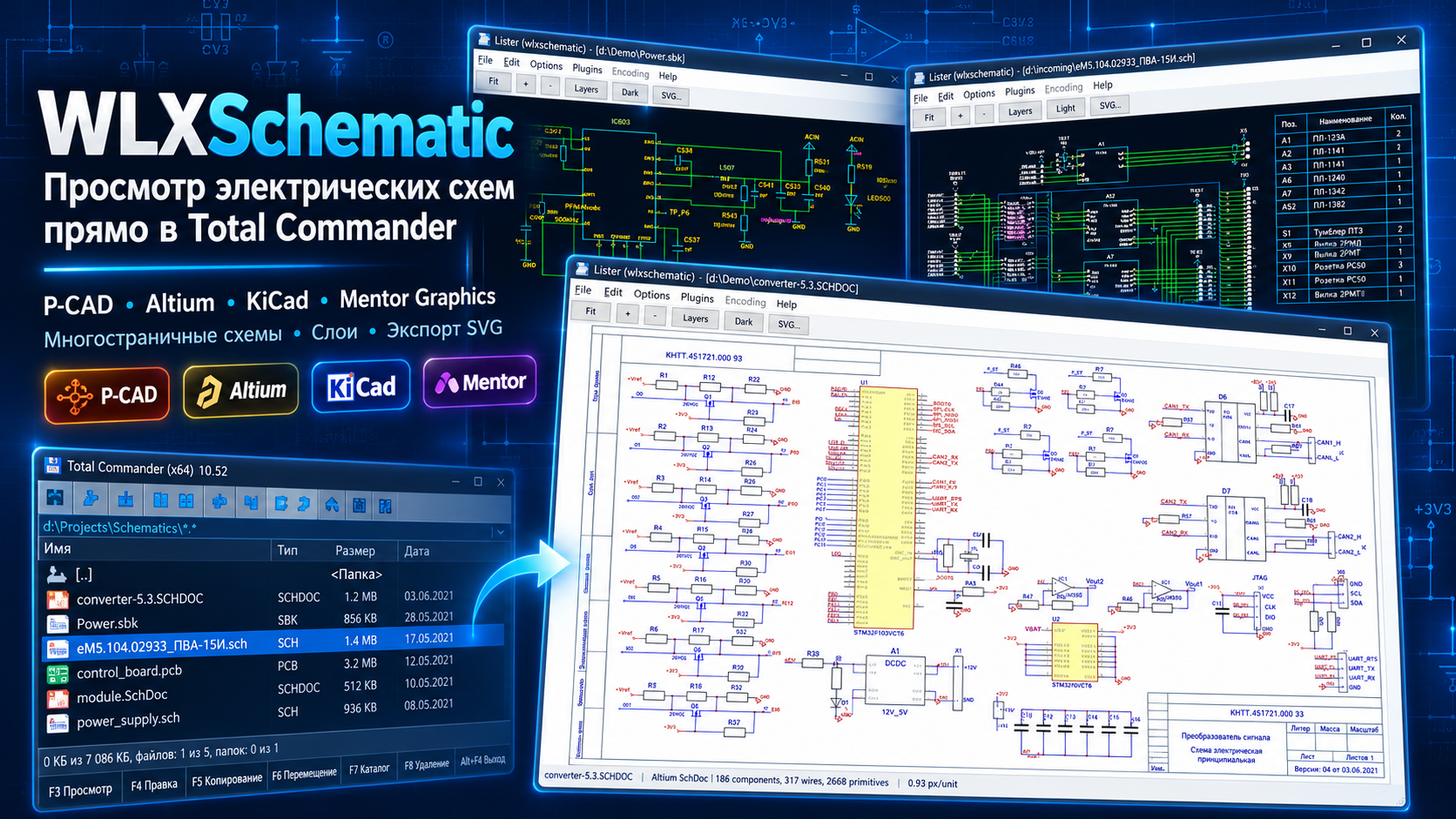
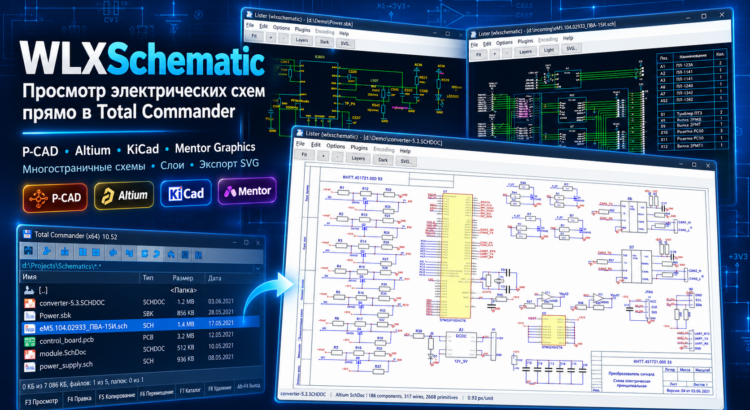
WLXSchematic — P-CAD, Altium, KiCad and Mentor Graphics Schematic Viewer for Total Commander

WLXSchematic is a free Total Commander plugin that allows you to quickly open and view electrical schematics directly in the file manager, without launching heavy CAD software or installing the original design applications.

The plugin supports popular electronic schematic formats, including P-CAD 2006, Altium Designer, and Mentor Graphics. To preview a schematic, simply select a file in Total Commander and press F3, or use Ctrl+Q for Quick View mode.

Supported Electrical Schematic Formats

  • SCH (P-CAD 2006) — View P-CAD electrical schematics, electronic components, wires, reference designators, text labels, and drawing frames.
  • SchDoc, SchDot (Altium Designer) — Open and view Altium Designer schematic documents and templates, including electronic symbols, electrical connections, annotations, and graphical elements.
  • SBK (Mentor Graphics) — View Mentor Graphics electrical schematics with support for symbols, connections, labels, and multi-page documents.

WLXSchematic displays schematics as vector graphics, allowing you to zoom in and out without losing image quality and easily inspect even the smallest details of complex electronic designs.

Read More

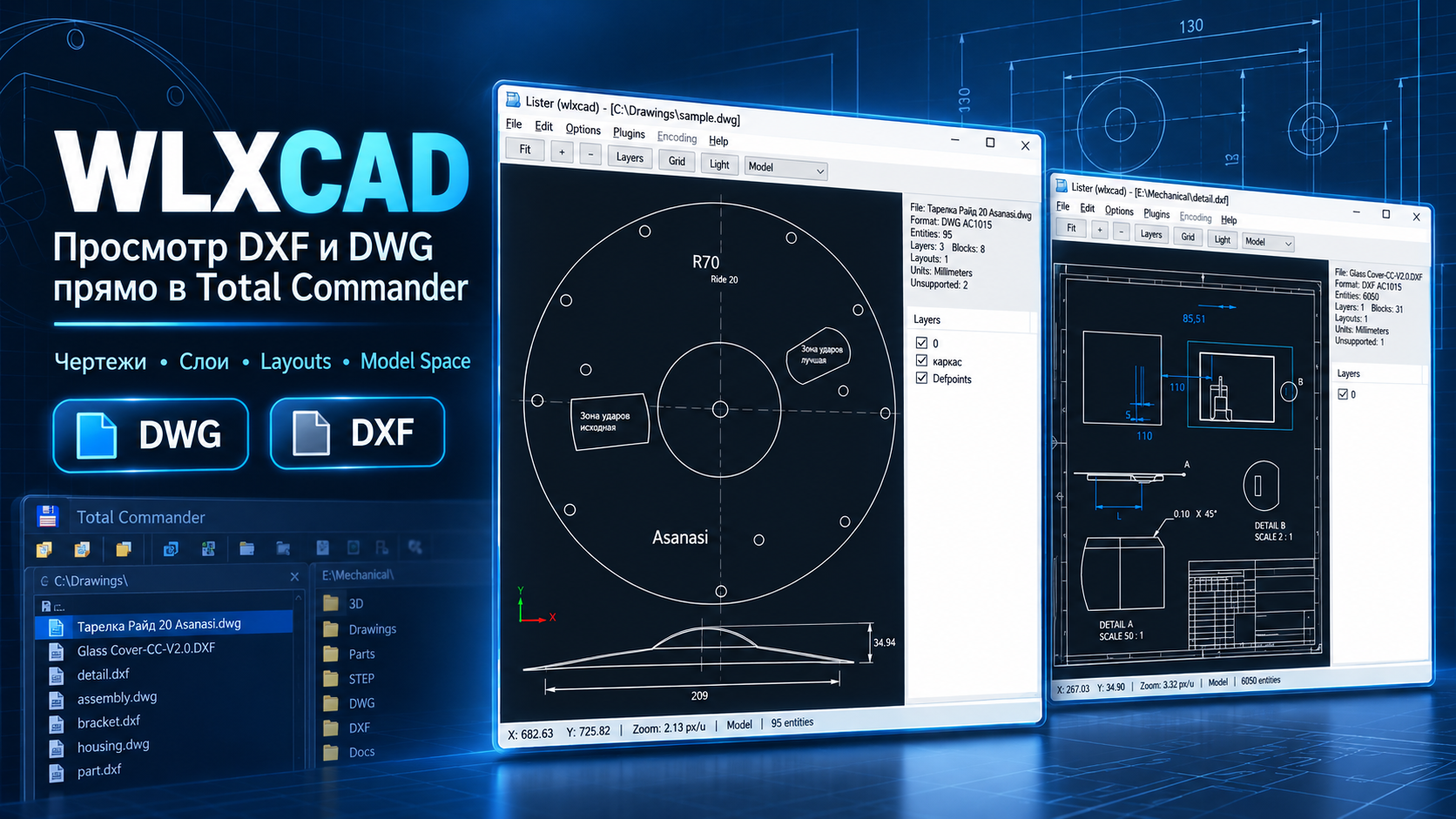
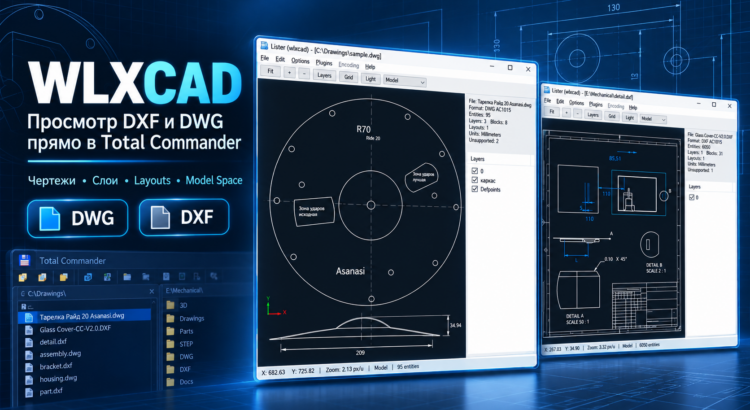
WLXCAD — View DWG and DXF Files Directly in Total Commander

WLXCAD is a free Lister plugin for Total Commander that allows you to open and view DWG and DXF drawings directly in the built-in Lister viewer (F3) or the Quick View panel (Ctrl+Q).

With WLXCAD, you no longer need to launch AutoCAD, nanoCAD, BricsCAD, or other resource-intensive CAD applications just to preview a drawing. Simply select a DWG or DXF file in Total Commander and press F3 — the plugin will load and display the drawing.

WLXCAD is especially useful for engineers, architects, designers, construction professionals, and anyone who regularly works with technical documentation, floor plans, architectural drawings, and CAD projects.

Read More

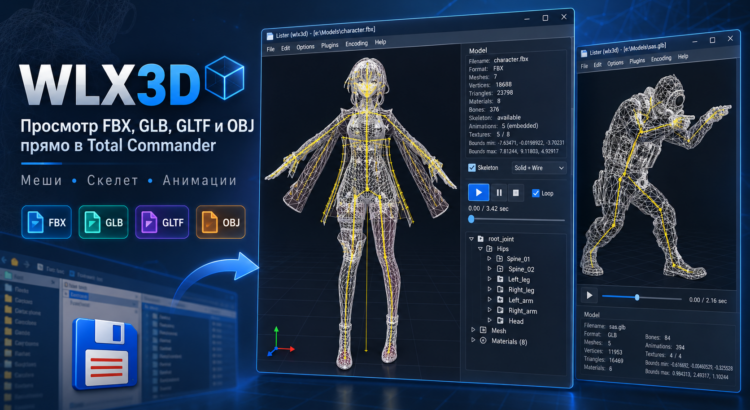
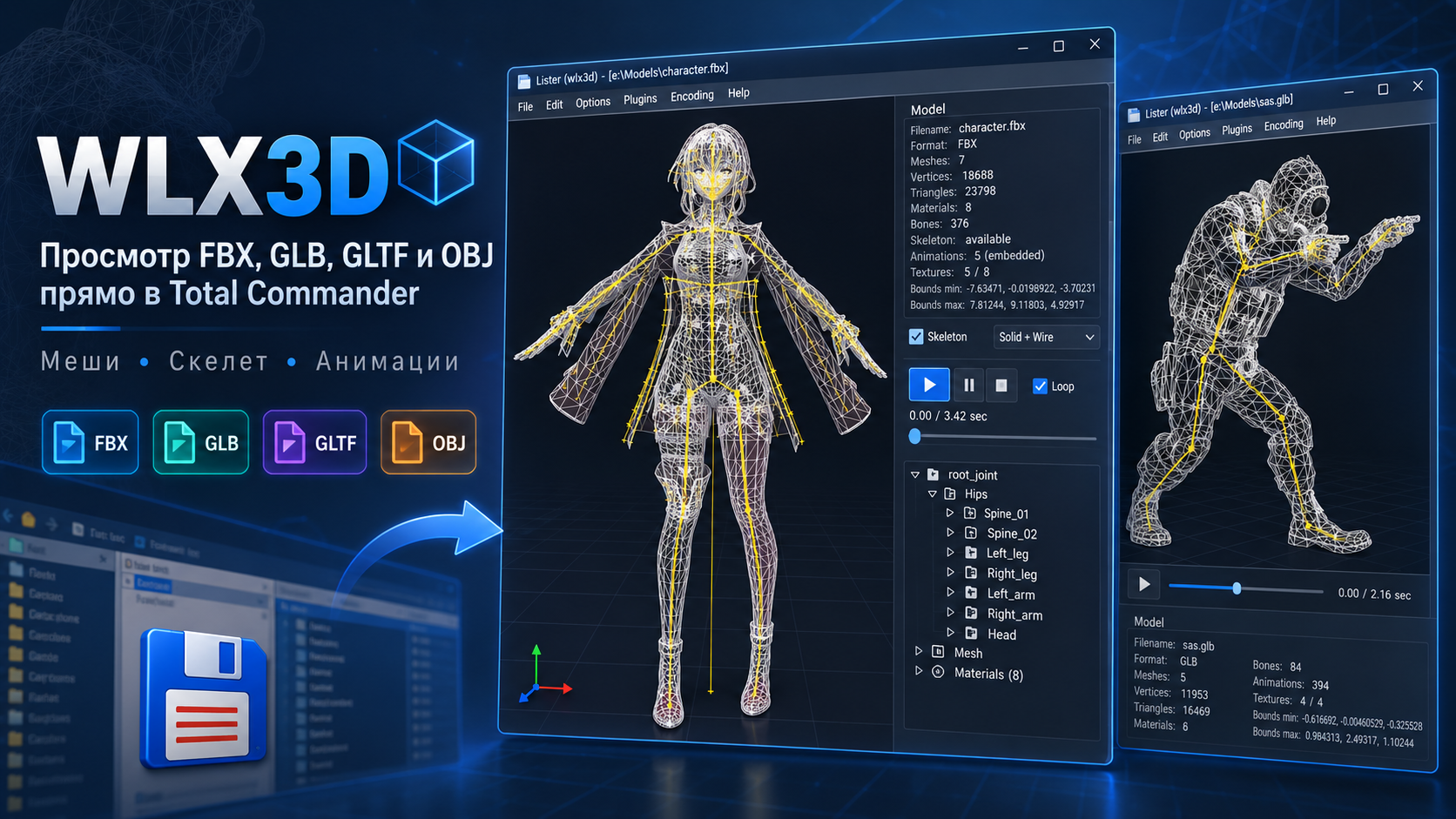
WLX3D — View FBX, GLB, GLTF and OBJ Files Directly in Total Commander

WLX3D is a free WLX plugin for Total Commander that allows you to open and preview 3D models directly in the built-in Lister with F3 or in Quick View mode.

The plugin is designed for fast inspection of game-ready 3D assets without launching Blender, 3ds Max, Maya, or a separate 3D viewer. Simply select a model file in Total Commander and immediately inspect its geometry, materials, textures, skeleton, and available animations.

Supported 3D formats include:

  • FBX
  • GLB
  • GLTF
  • OBJ

WLX3D is especially useful when working with large collections of game models and assets for Godot, Unity, Unreal Engine, Blender, modding, and game development.

Read More

Restoring a Digma E629 eBook — troubleshooting from battery to E-Ink waveform

It all started when the Digma E629 eBook had been sitting unused for quite a long time, and when I finally decided to charge it and use it again — it refused to turn on. At that moment the device was almost 10 years old, so it was not surprising that the first disassembly immediately revealed a completely discharged Li-Ion battery (3.7V 306573, 1500mAh). Fortunately, this is a common form factor, so I easily found and ordered a replacement.
However, after replacing it… the problem remained. The display did not refresh, although the device was detected via USB and the battery was charging normally. I connected to the UART port (standard speed 115200) and started digging deeper.

IMG_20260306_212337
Read More

Google Play and 16KB Page Size: How to Check APK/AAB Before Uploading and Find Broken Native

In 2025, Google Play started gradually enforcing new requirements for apps targeting Android 15+ (targetSdk 35). One of the most painful ones is compatibility with devices using 16 KB memory pages (16KB page size).

In practice, it often looks like this:

  • the app builds fine,
  • it works locally,
  • but when you try to publish an update in Google Play, you get an error saying your app does not support 16KB page size,
  • and the root cause is… native .so libraries inside your APK/AAB.

This post shows how to quickly check your build before uploading to Play, locate the problematic .so files, and automate the check in Gradle.

Read More

Quickly view seamless textures online

When working with AI-generated images, one common issue is how to quickly check whether a texture is truly seamless (tileable). This is especially useful if you generate textures using Stable Diffusion, create patterns with ChatGPT, or use any other AI tools for texture generation.
In practice, it turns out that there aren’t many simple and convenient utilities for seamless texture testing, especially ones that work directly in the browser without installing anything.
That’s why I created a small HTML-based online tool that solves this problem.
Online page with the tool
👉 Seamless Texture Viewer
Read More